
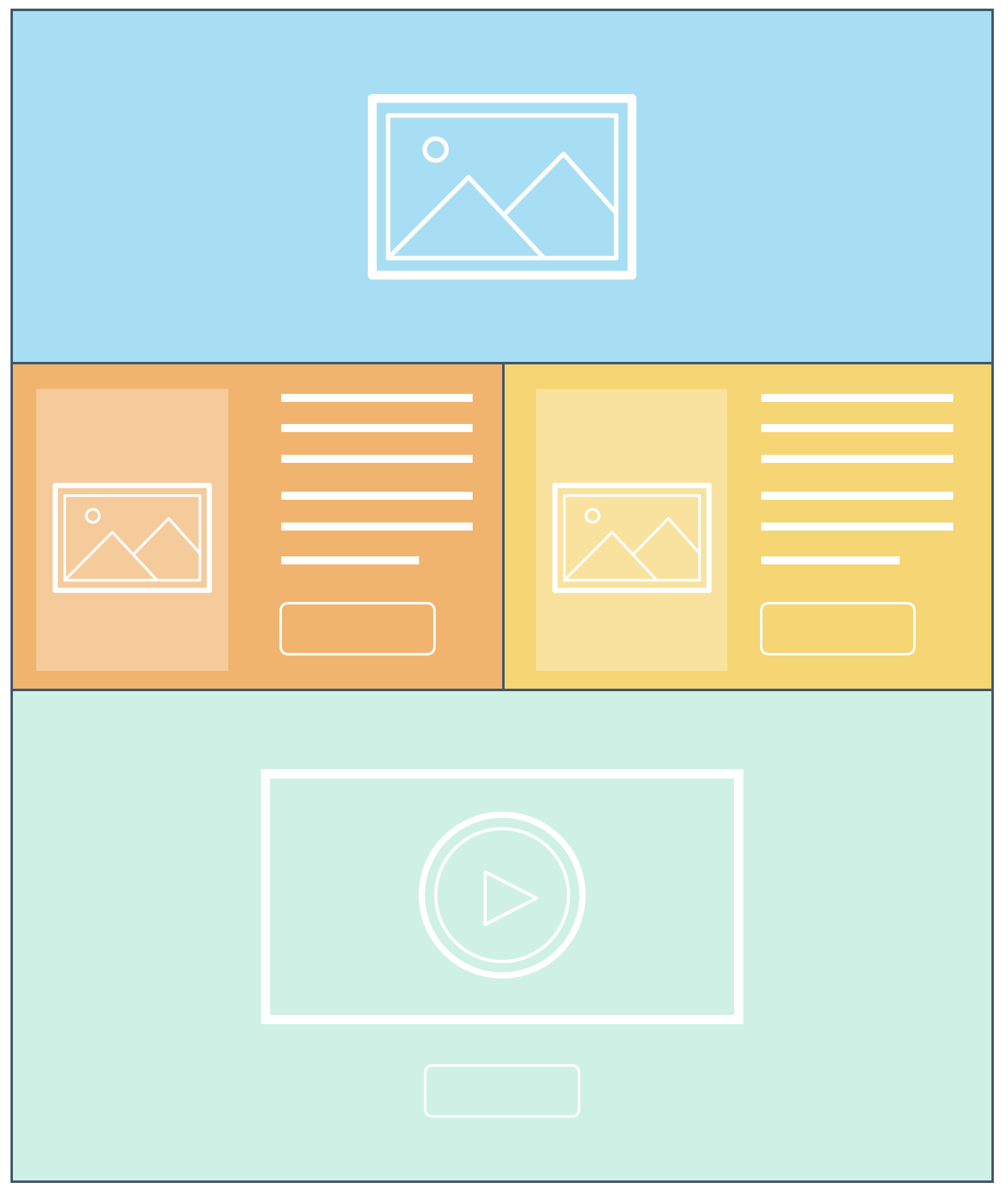
Think of a web page as a series of blocks. These blocks can be wide and tall with text, images, buttons and videos placed within them. Think of building with Legos and stacking different blocks together. Each block is stacked together to form a web page.
Let’s walk through the basic understanding of these blocks and how we’ll use them to build the web pages within your website.
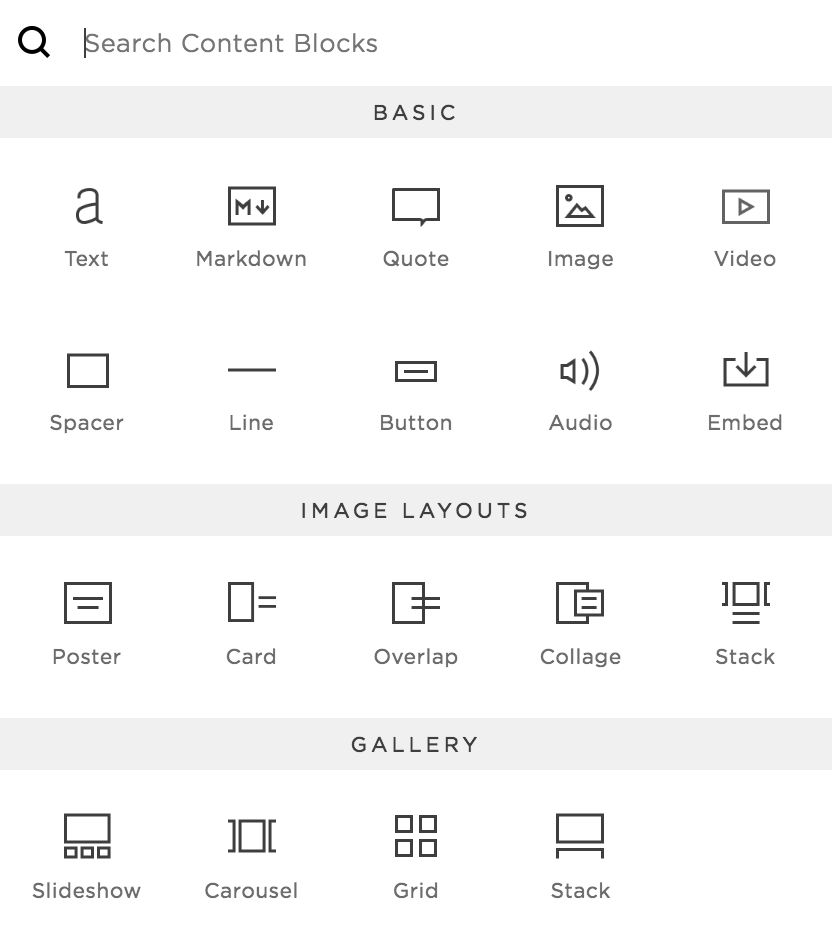
That covers the blocks we’ll be using to build your website. Squarespace uses a variety of blocks to customize each web page and can be sized to fit your needs.
We'll cover several of these blocks in the next section.
Now it’s time to explore how we’ll use these blocks to plan out your website. We use the term “wireframing” our website. Before we begin design, we use these blocks and “wireframe” the basic structure. The structure of your website will be a Home, Classes, Gallery, About, Blog and Contact web pages. Within each page, we’ll explore how we’ll use these blocks to begin building out our web pages. You’ll begin to see how this process of wireframing will help form the basis of our website design.
The more planning we do up front, the easier it will be when we get into building. Think of this as the blueprint stage of your website. First we create the plans, then we build the site.
You may not need a “Classes” or “Gallery” page but consider what pages you wish to have on your own site and make sure the navigation is clear. Make sure the labels in your navigation are descriptive and be intentional with what each page of your website means.
Also consider limiting the number of items in your navigation… again, being clear and concise. You don’t want to overwhelm your visitors.
We’ve covered the structure of your website, it’s time to work on the content within each web page. Let’s walk through the structure and how to think about the messaging we’ll include in your pages.
Content is key to any good website. It needs to be clear, informative and relate to your audience. Like any good image, the copy you use on your website only has a few seconds to capture their attention and encourage them to take action. Let’s walk through some key considerations when developing content for your website.
Be sure to download your worksheet and begin writing your content for each page on your site. Start with sketching (wireframing) out your page and fill in the content for each page. Always just start writing. Try not to judge what comes out, just let your thoughts flow. Don't worry about punctuation and grammar right now. You can always come back and edit later.
What makes a good home page?
We’ve covered making sure your navigation is clear, the same applies to the content on your home page.
Your hero image needs to convey your overall brand to your audience along with a clear call to action. Think about the number one action you wish them to take. Do you want them to subscribe to your site? Buy a product? Learn more about you?
Consider the hierarchy of your home page (i.e. the story of your page). You don’t want to paste every detail on your home page but rather provide just enough so the visitor will want to explore more. The more information you place on this page, the more confusing it can be. Always try to keep it succinct and direct them to more details on another page.
Here is a recommended hierarchy for a home page.
Think about your own hierarchy. Start with a list of what you wish to have on your home page and begin placing numbers 1, 2, 3, etc. based on the importance. The lower the number, the higher it should be on your page.
Each of these pages contains a thumbnail along with a possible brief description and a button as the call to action (i.e. “learn more”, “view more”, “read more” etc.)
You don’t want to make these pages too cluttered or overly descriptive. You just want to give them a sample of what they are about to learn. You can save the details for the next page they’ve decided to click on such as a sales page, a blog post or a product page with the details and an “add to cart” button
We'll cover the details of properly writing a Blog post and tips on proper SEO in week 2. Here is a sneak peak at some tips for writing your blog post...
When writing your sales page, it’s important to consider your audience and establish expertiese and authority on your subject.
Use the following order below as your guide. These are just recommended steps. Some may not be appropriate for you but it’s a helpful step-by-step process.
NOTE: Always sprinkle in the “register now” buttons, pricing and a few takeaways throughout your sales page.
There are 5 basic categories to writing a good About Page.
Here is a great visual to consider. Your first 2 sections are the most important and should provide enough information for the visitor to decide if they are in the right place. The next few paragraphs are open to further enhancing the visitor's understanding of you and what you have to offer.
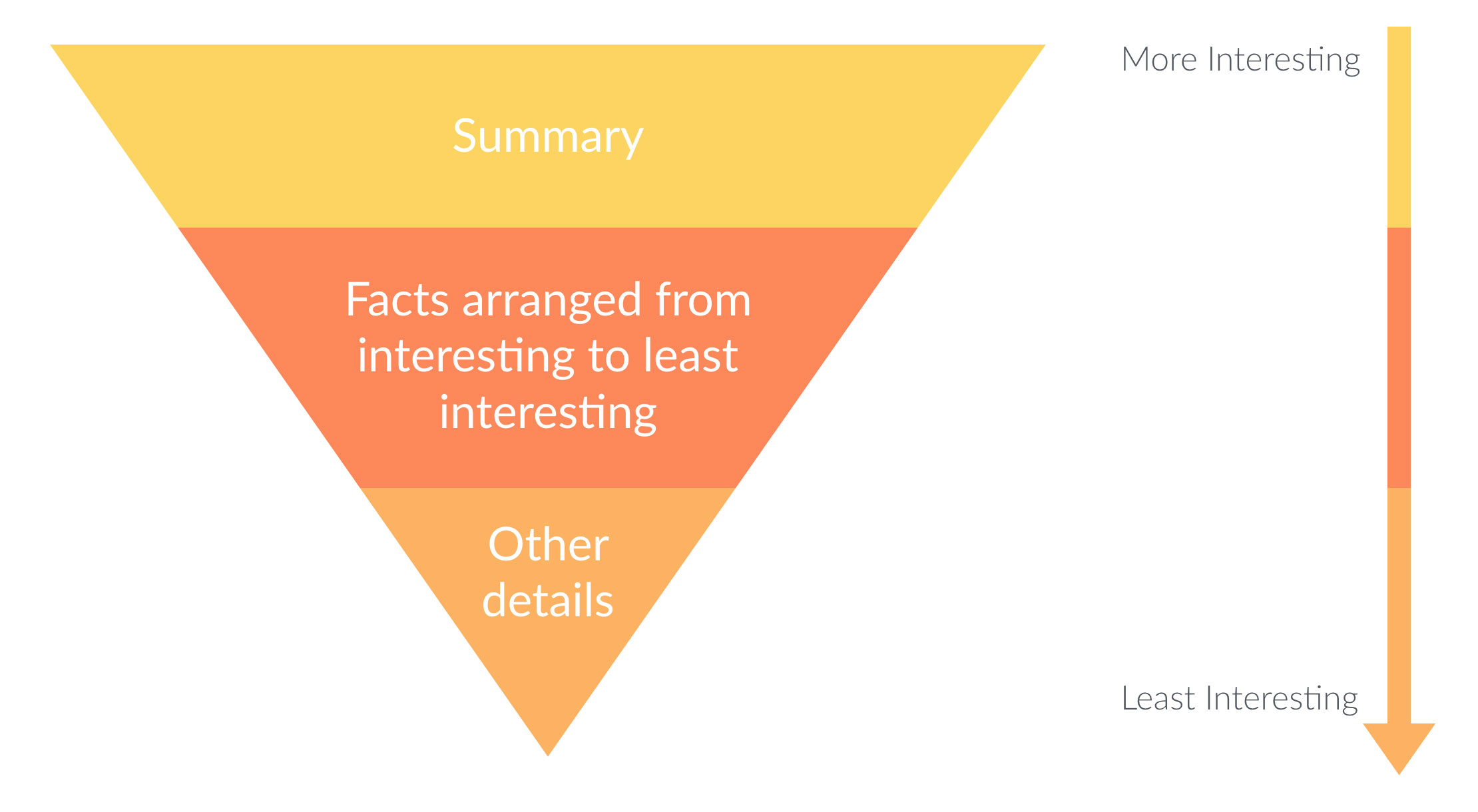
These are just guidelines to help you get started with telling your story. Because you’ve already worked on your ideal customer avatar, you can begin to apply this to your own story.
Writing a good blog post takes time and practice. The key is to just stick with it. The more you write, the better you get and the quicker your posts will come together. Here are a few key items to consider when writing a good blog post:
Just like any other habit, the more you practice, the better you'll get. Take notes and save articles that interest you. Then you can come back to those notes when you're ready to begin writing your blog post.
As I mentioned above, we'll cover blogging in greater detail next week. Take some time and practice forming 3-6 blog posts for your website. Once you've designed the layout in Squarespace, you'll be ready to copy/paste into your site.
This should be simple and too the point. How are they going to reach you? Email only? Phone? Do you wish to provide a map of where you’re located,
You want to make this page as clear as possible on how you can be reached and when you’re available (if applicable).
Think of how many times you wished to reach a company and they make it extremely difficult to find on their website? Think of how that made you feel and the negative impact you have on that particular brand.