
Before we begin our website, there are a few accounts we need to set up so we’ll be ready to connect them to our Squarespace site when we’re ready.
Let's get going on that now.
***Be sure to download your website account sheet so you’ll have your usernames and passwords saved for each account.***
Let’s start with an overview of why we need these accounts and understanding the difference between a domain name, a website and website hosting.
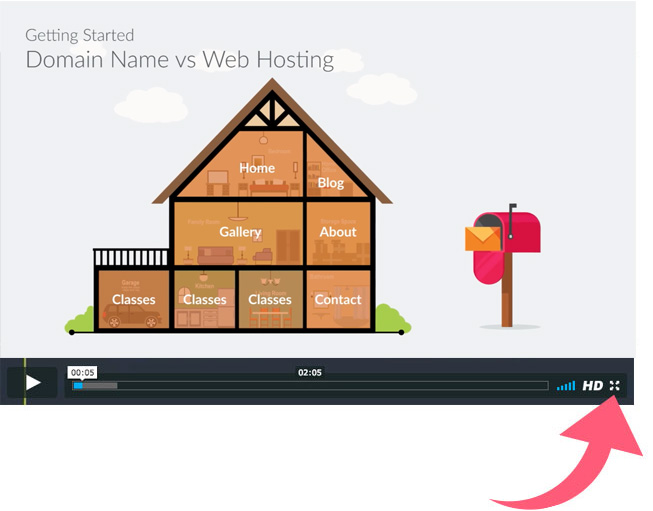
NOTE: Some of the videos in the class may require you to view at full screen. Feel free to select the "Full Screen" icon in the lower right of the video player...

Now that we’ve covered the overview of why we’re setting up these accounts, let’s walk through purchasing our website domain name.
Click here to go to GoDaddy.com
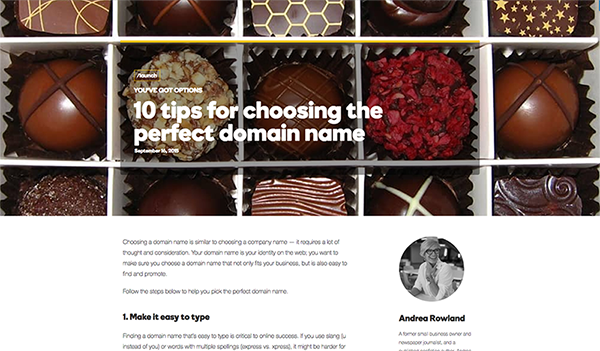
Choosing a domain name can take a little time and some consideration. We recommend sticking with .com if possible and avoid .net and .org domain extensions (unless it absolutely applies to you). There are also a lot of new domain extensions (.co, .io. biz, .art, etc.) but people tend to type .com and choosing something different may make it difficult to find your site.
Here is a great blog post that covers this topic....
.net is usually applicable to network/technology companies and .org is reserved for organizations. Definitely use them if it applies to you. Otherwise try and stick to .com :)
As Chris mentioned in the video, even though we recommend GoDaddy, there are many other places you can purchase your domain and connect with Squarespace. Here is a list of other options:
Congratulations! You now own your own domain name for your website! Be sure to write down your username, password and account number on your worksheet.
Once you’ve built your website, we’ll walk you through connecting your domain name to your Squarespace account. Don’t worry, Squarespace makes it super easy to set up :)

It’s time to set up your Mailchimp email marketing account. Setting up this account is critical to begin building your subscriber list and growing your audience. As you continue to grow your list, you’ll be able to continue your marketing and ongoing relationship with your subscribers through blog posts and even showcase latest products you wish to sell.
Click here to go to Mailchimp.com
That’s it! You’ve set up your email marketing account with Mailchimp. We’ll come back to this later when we build our subscriber forms in our website so we can begin collecting those email addresses - a vital lifeline to your customers!

Stripe is essential to accepting credit cards on your website and one of the reasons they are so popular is they make it super easy. It’s amazing that two guys in Australia had such a simple idea and have taken the hassle out of accepting credit cards for your online business! Plus, no monthly fees! :)
With most ecommerce sites like Squarespace, the default tool to accept credit cards is through Stripe. Let’s begin.
Click here to go to Stripe.com
Congratulations! You’re now set up to begin accepting credit cards on your website. Once we connect your account in Squarespace, you’ll be amazed at how easy it is to build your store and allow your customers purchase within your website.

We have one final account to set up before we move forward in the class and that’s setting up our PayPal account.
Even though we’re using Stripe to accept credit cards, there is a large audience who just feel more comfortable purchasing with their PayPal account. They can still use their credit card or PayPal account to make the purchase but since over 75%-80% of our website sales come through PayPal you can see the importance of having both options.
Either way, you’re still getting paid for your products and services… and that’s a good thing! :)
Click here to go to PayPal.com
That’s it! You’ve now set up all the required accounts to connect to your Squarespace site when we’re ready. Be sure to write down all your username and passwords so you have them available when we connect your accounts.
Let’s move to understanding file formats and getting our images ready for our website.